AI Image Upscaler
Upload a small or blurry photo and get a sharp, high-resolution version — more detail and clean edges, with the face and texture kept intact.
Upload your photo
Drag and drop, or choose a file from your device.
An AI image upscaler does more than stretch your photo — it rebuilds it. Instead of blowing up the same pixels until they turn soft and blocky, the AI studies the faces, textures and edges in your picture and paints in the detail a higher-resolution shot would have had. Upload a small profile picture, an old scan, a screenshot or a photo that came out grainy, and PicTools.AI returns a crisp, high-definition version — sharper skin and hair, cleaner lines, and none of the halos or plastic look cheaper upscalers leave behind. Your subject stays faithful; only the resolution and clarity go up.

Low-res original
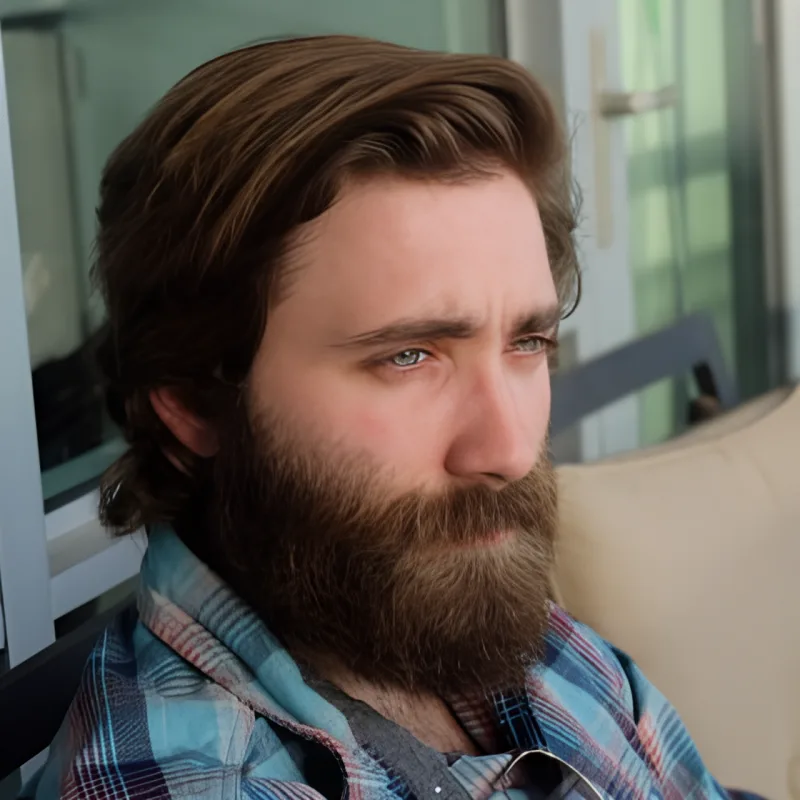
Upscaled to HD
How the AI image upscaler works
Upload your image
Drag in a JPG, PNG or WebP — a selfie, a product shot, an old photo or a screenshot. Nothing to install, and you can start before you create an account.
AI rebuilds the detail
The model analyses your picture and reconstructs edges, textures and fine detail at a higher resolution — adding real sharpness instead of just enlarging the existing pixels.
Download your HD photo
Save the upscaled image at several times the original resolution, ready to print, post or crop without it turning soft or pixelated.
What you can do with a higher-resolution photo
Because the upscaler recovers real detail rather than just enlarging pixels, the result holds up wherever a bigger, sharper image matters.
Rescue small or old photos
Bring low-resolution profile pictures, old scans and screenshots back to life with sharp, modern detail — great for restoring family photos.
Print without pixelation
Upscale before you print so posters, canvases and large prints stay crisp instead of turning soft and blocky at size.
Crisp product & e-commerce shots
Turn a small product photo into a clean, high-resolution image that looks sharp on listings, banners and zoom views.
Enhance AI-generated images
Finish an AI portrait, headshot or artwork by pushing it to full HD, so fine detail and texture read clearly at full size.
Explore more photo tools
AI Photo Editor
Edit any photo by typing — change the background, outfit or lighting, then upscale the result.
AI Headshot Generator
Turn a selfie into a crisp, professional headshot — then enhance it to full HD.
AI Vector Generator
Need it razor-sharp at any size? Convert your image into a real, editable SVG.
AI Image Upscaler FAQs
The AI upscaler increases your image resolution several times over — typically up to 4x the original width and height — while rebuilding detail so the result stays sharp rather than soft.
Yes. The model is tuned to stay faithful to your original — it recovers real detail in skin, hair and edges without inventing a different face or adding an artificial, over-smoothed look.
Most photos upscale well — portraits, products, old scans and screenshots. Very tiny or heavily compressed images improve the most, since there is more softness for the AI to rebuild.
You can try it free. Upscaling an image to HD uses one credit; sign up to get welcome credits with no credit card required.
Yes. A sharpen filter only exaggerates the edges already in your photo and often adds halos. The AI upscaler reconstructs new detail at a higher resolution, so the whole image genuinely gains clarity.