AI Object Remover
Brush over anything you want gone — a person, a sign, a stray object — and AI erases it and rebuilds the background behind it, seamlessly.
Upload your photo
Drag and drop, or choose a file from your device.
An AI object remover does the hard part for you: instead of cloning pixels by hand or cropping the shot, you simply brush over whatever you want gone and the AI rebuilds the scene behind it. Point at a photobomber, a trash can, a road sign, a logo, a date stamp or a distracting background object, and PicTools.AI erases it and fills the gap with background that matches the lighting, texture and perspective around it — water keeps reflecting, grass keeps its pattern, a wall stays flat. There's no smear, no blurry patch and no obvious hole where the object used to be: the result looks like the shot was taken without it.
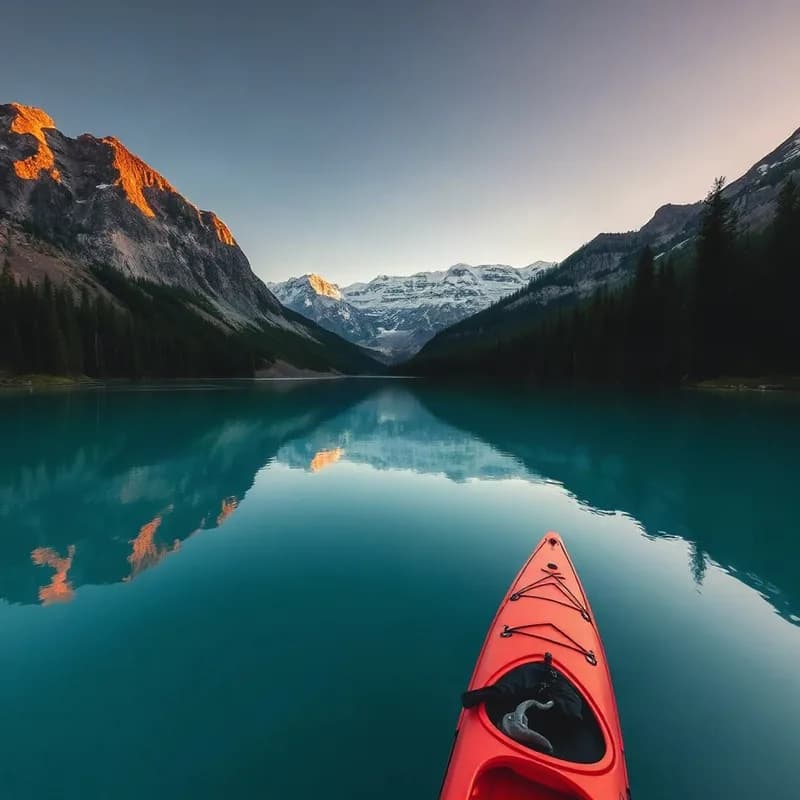
Original
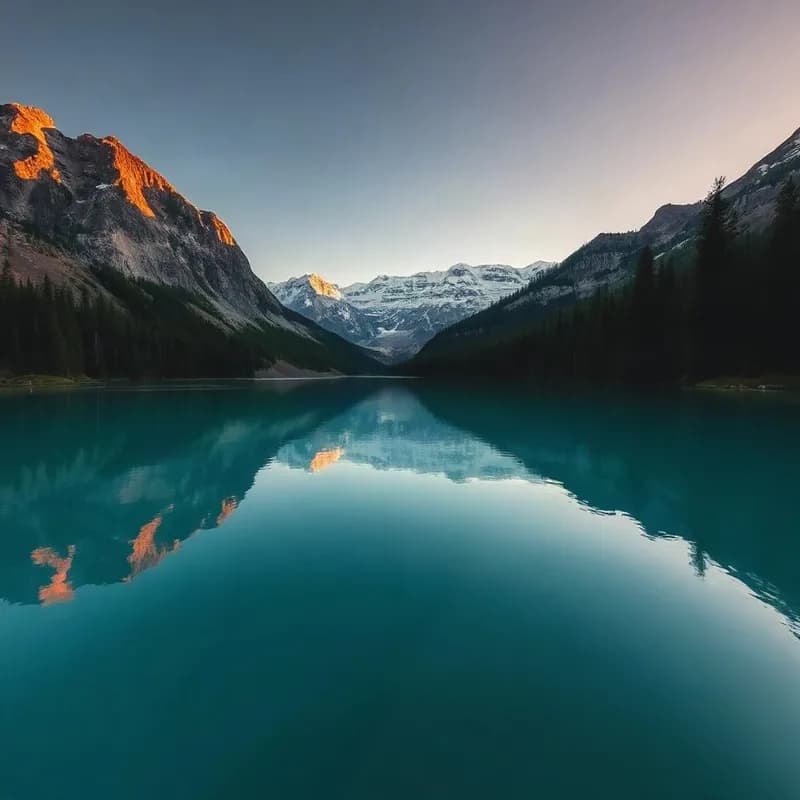
Object removed
How the AI object remover works
Upload your photo
Drag in a JPG, PNG or WebP — a holiday snap, a product shot, a screenshot. Nothing to install, and you can start before you create an account.
Brush over what to remove
Paint over the object, person, text or watermark you want gone. You only need to roughly cover it — the AI figures out the exact edges.
AI rebuilds the background
The model erases the brushed area and regenerates the background behind it, matching the surrounding texture, lighting and perspective. Download the clean result.
What you can remove
Because the AI reconstructs the background instead of just blurring it, the cleanup holds up even on busy scenes.
Photobombers & strangers
Take a person, a crowd or a passer-by out of your shot and keep the scene behind them intact.
Watermarks, text & logos
Clear a stray date stamp, caption or logo off a photo you own without leaving a blurred patch.
Distracting objects
Remove a trash can, a power line, a sign or clutter so the subject gets all the attention.
Clean product shots
Delete tags, stands, cables or reflections from a product photo for a clean, listing-ready result.
Explore more photo tools
AI Replace Object
Don't just remove it — swap it. Brush an area and describe what should appear there instead.
AI Photo Editor
Edit any photo by typing — change the background, outfit or lighting in plain words.
AI Image Upscaler
Finish the clean-up by pushing the photo to full HD — sharper detail, clean edges.
AI Object Remover FAQs
Upload the photo, brush over the object (or person, text or watermark) you want gone, and the AI erases it and rebuilds the background behind it. You only need to roughly cover the object — the model finds the exact edges.
No. Unlike a blur or a basic clone tool, the AI regenerates the background that was hidden behind the object, matching the surrounding texture, lighting and perspective, so there is no smear and no obvious hole.
Yes — brush over a photobomber, a passer-by or a group and the AI reconstructs the scene behind them. Simpler backgrounds rebuild most cleanly; very complex overlaps are the hardest for any model.
You can remove watermarks, logos, captions and date stamps from photos you have the right to edit. Please only remove marks from images you own or are authorised to change.
You can try it free. Removing an object uses one credit; sign up to get welcome credits with no credit card required.