AI Photo Editor
Retouch and edit real photos just by typing — fix skin and light, remove people, change the background, restore old pictures and sharpen to HD. Start free, pay only for what you use. Credits never expire, no subscription.
Upload your photo
Drag and drop, or choose a file from your device.
An AI photo editor fixes real photographs from plain-English instructions — no sliders to learn, no masking by hand. Upload a picture and say what you want: “smooth the skin but keep it natural”, “remove the stranger on the left”, “brighten the faces”, “make this old scan sharp again”. The AI edits only what you asked for and leaves the rest of the photo as shot. PicTools.AI puts a full retouching suite behind that one prompt box — portrait retouching, object and people removal, background swaps, lighting and colour fixes, old-photo restoration, HD upscaling and dozens of style looks. The real difference is how you pay. Most “free” photo editors watermark your download, hide the good tools behind a sign-up, cap the resolution, and then push a monthly subscription for a photo you only needed to fix once. We don’t: you start free, you pay a credit only for the edits you actually run, and credits never expire — no subscription, no auto-renewal, no catch.
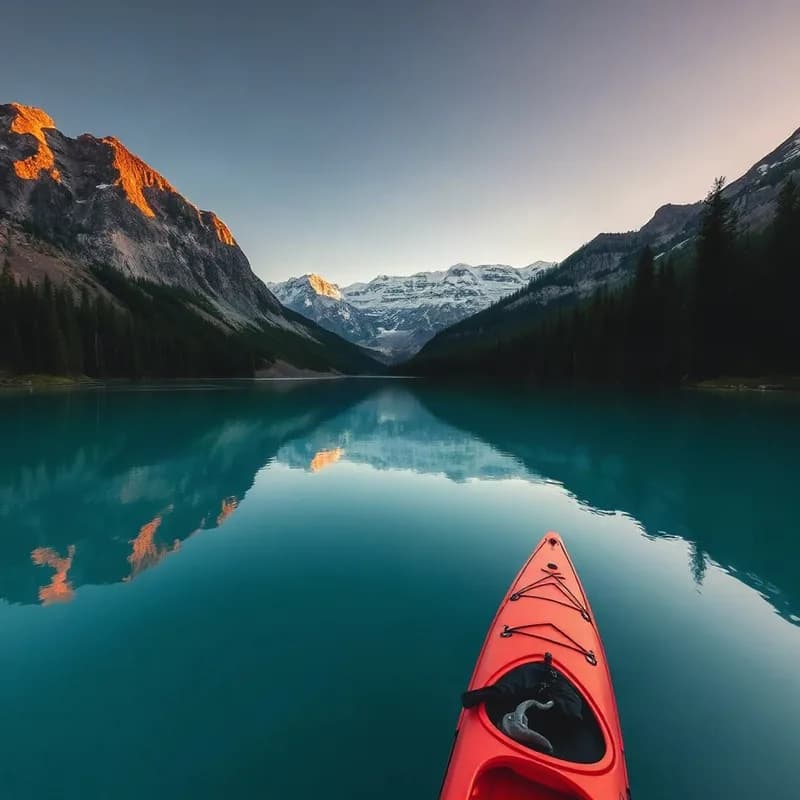
Original photo
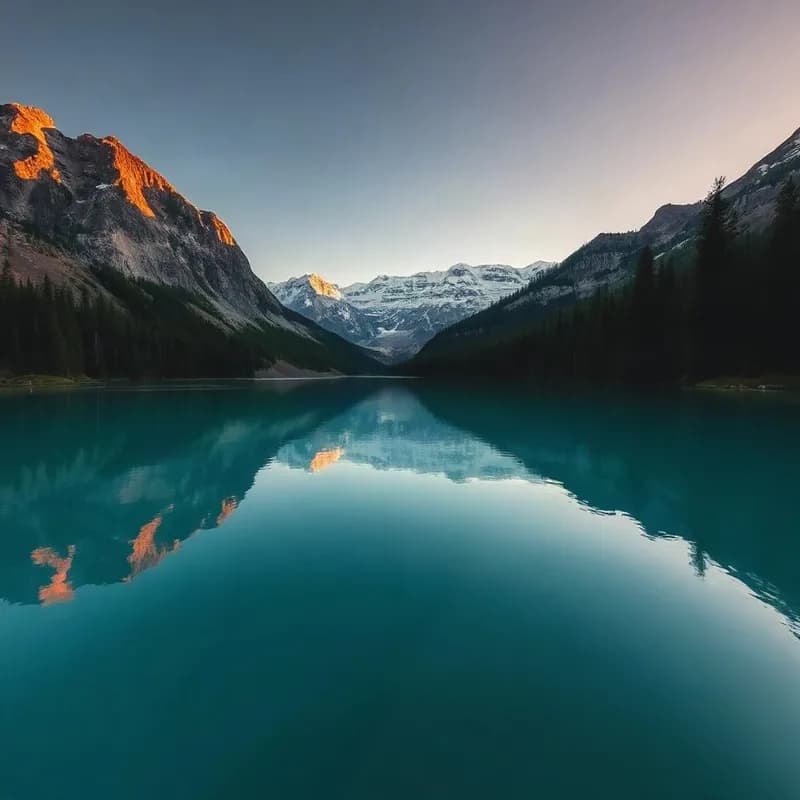
Retouched by prompt
How the AI photo editor works
Upload your photo
Drop in a JPG, PNG, HEIC or WebP straight from your phone or camera. Nothing to install, and you can start before creating an account.
Say what to fix
Describe the retouch in plain English — smooth skin, remove someone, change the background, fix the lighting, restore a scan. Or pick a one-tap look.
Download the edited photo
Get your photo back in seconds, clean and watermark-free on paid edits. AI edits cost one credit — from credits you bought once that never expire.
Every kind of photo, one editor
Portraits, products, family scans or social posts — it’s the same prompt box and the same credit balance, so you pay per edit instead of stacking subscriptions.
Portraits & headshots
Retouch skin naturally, fix harsh lighting, tidy flyaway hair and clean the background — then turn a phone selfie into a sharp professional headshot.
Restore old & damaged photos
Repair scratches and creases, remove yellowing, sharpen a blurry scan and bring faded family pictures back to life — a one-off job that never needs a plan.
Clean up travel & everyday shots
Remove photobombers and clutter, brighten dull skies, and reframe a shot for the feed without cropping anyone out of the picture.
Product & listing photos
Drop products on a clean background, erase reflections and dust, and upscale to crisp, marketplace-ready resolution.
Explore more photo tools
AI Headshot
Turn a selfie into a polished, professional headshot in seconds.
Remove Object
Brush over anyone or anything unwanted and the AI rebuilds the scene.
Change Background
Swap the background for a clean studio backdrop or any scene you type.
Photo Upscaler
Enlarge and sharpen a photo to crisp, print-ready resolution.
Hair Colour Changer
Try a new hair colour on a portrait without touching anything else.
Reframe Photo
Reshape a photo for any ratio without cropping the subject.
AI Photo Filters
One-tap looks — anime, Pixar, cyberpunk and dozens more.
AI Image Editor
The full prompt-based editor for any image, not just photos.
Image to Vector
Turn a photo into a real, editable SVG that stays sharp at any size.
Honest pricing — pay per use, not per month
Everyone knows “free” photo editors aren’t really free. Ours is the straightforward version: start free, pay a credit per AI edit, and keep your credits forever.
Pay only for what you use
A credit per AI edit — not a monthly bill for a photo you fixed once. Start free and top up when you need to.
Credits never expire
Buy a pack once and the balance stays until you spend it. No monthly reset, no “use it or lose it”.
No subscription, ever
No recurring charge, no auto-renewal, nothing to remember to cancel. Clean, watermark-free downloads on paid edits.
AI Photo Editor FAQs
You can open the editor, upload a photo and make manual edits for free, with no sign-up. AI retouching (removing people, fixing skin, restoring, upscaling) uses one credit each, and you get a couple of free credits to try it. After that you simply top up — only for what you use.
No. There is no subscription. You buy a one-time pack of credits and spend them whenever you like — no monthly fee, no auto-renewal, nothing to cancel. It’s why people who only need to fix a photo now and then choose us over the subscribe-to-edit apps.
Never. Credits stay in your account until you use them. Buy 30, 75 or 300 at a time and come back months later with the balance intact — no monthly reset.
Because “free” rarely is. Free photo editors tend to watermark your download, lock the good retouching behind a sign-up, limit your resolution, or push you into a subscription. Pay-per-use is the honest version: a tiny price per edit, clean full-resolution downloads, and no recurring charge for a photo you only needed to fix once.
Yes. The editor smooths skin and fixes lighting while keeping the same face and identity — no plastic look, no swapping the person. You describe how far to go, and you can always undo.
Yes. It repairs scratches and creases, removes yellowing, sharpens blurry scans and revives faded colour — ideal for bringing old family photos back to life.
Edits you pay a credit for download clean, at full resolution, with no watermark. Free trial outputs carry a small mark that a single credit removes.
Upload JPG, PNG, WebP, HEIC and more — straight from a phone or camera. Paid results download at full resolution, and the upscaler can reach high-resolution, print-ready sizes.
Yes. Photos you edit and pay for are yours to use commercially — listings, ads, social, print — with no extra licence fee.
Your photos are tied to your account and used only to produce your edit. Manual edits run in your browser; AI edits are sent to our servers to run the model. You can delete any photo or your whole account at any time.
Most edits are one credit. Credit packs start at 30 credits for $9, and the popular pack is 75 credits for $21 — a one-time purchase, credits never expire, no subscription.
Yes. It runs entirely in your browser on phone and desktop — open it, upload a photo and start. There’s also an installable app if you want it on your home screen.