Virtual Try-On
Upload your photo and any garment — AI dresses you in it, keeping your face and pose and the clothing’s exact colour, cut and print.
Upload your photo
Drag and drop, or choose a file from your device.
A virtual try-on lets you see a piece of clothing on yourself before you ever put it on. Instead of imagining how a top, dress, hoodie or jacket would look, you give the AI two photos — one of you and one of the garment — and it dresses you in it. The garment can be a flat-lay product shot from a store or a photo of it on someone else; PicTools.AI maps its real colour, cut, texture and print onto your body while keeping your face, hair and pose exactly as they are. The fit follows your shape and the lighting of your photo, so the result reads like a real photo of you wearing it — not a sticker pasted on top. It’s the same "try before you buy" moment online shops are racing to add, available here for any outfit and any photo.
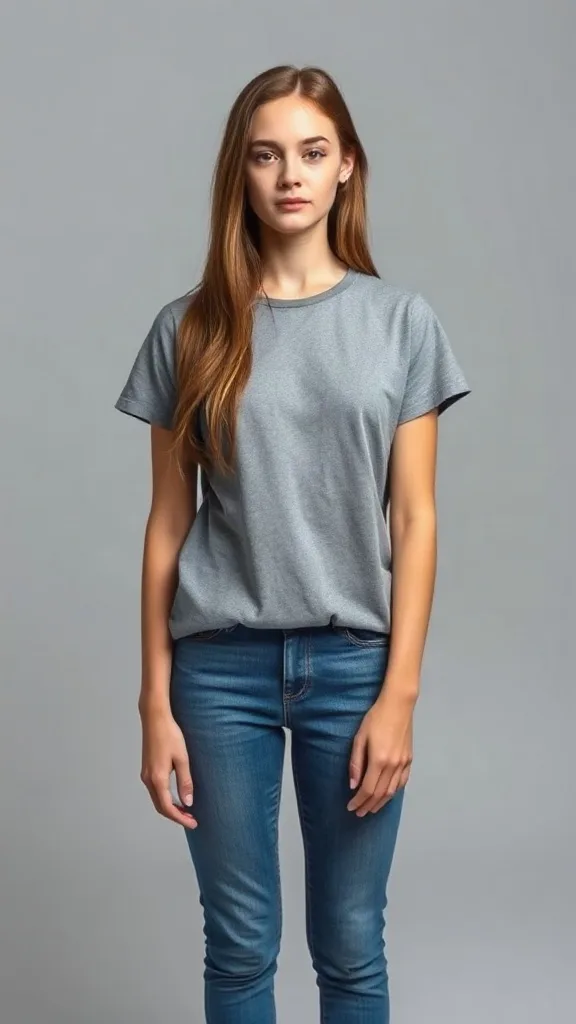
Your photo
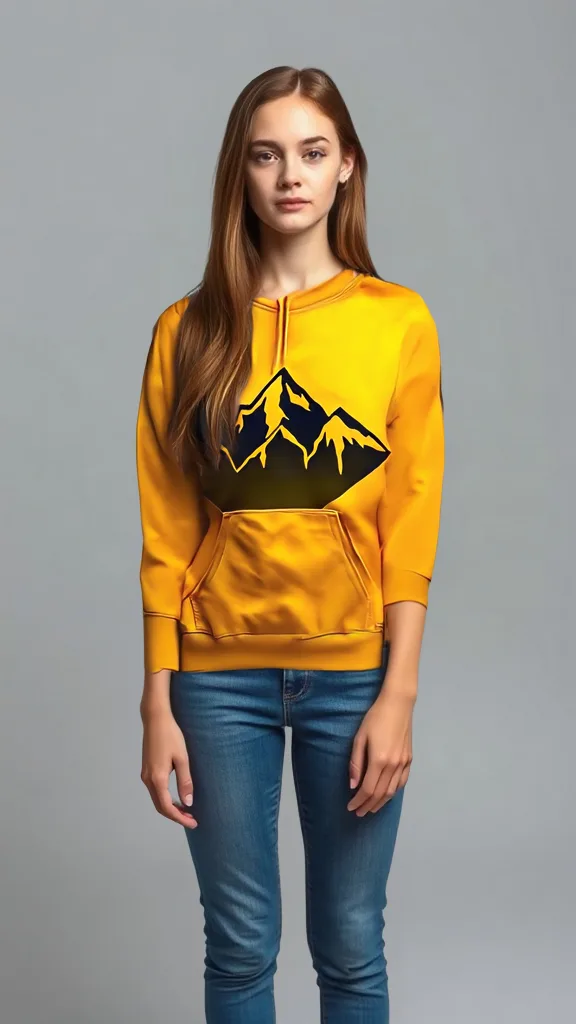
Wearing the outfit
How virtual try-on works
Add your photo
Upload a clear photo of yourself — ideally facing the camera, from roughly the waist or knees up. A JPG, PNG or WebP is fine, and you can start before creating an account.
Add the garment
Upload the outfit you want to try: a flat-lay product photo from a shop, or a shot of it on someone else. Tops, dresses, hoodies, jackets and more all work.
See it on you
The AI fits the garment onto you — matching its colour, texture and print to your body and your photo’s lighting — while keeping your face and pose. Download or share the result.
What you can try on
Because the model maps the real garment onto your real photo, the result is useful for deciding, not just for fun.
Before you buy
Paste a product photo from any shop and see the item on you before you order — fewer returns, fewer surprises.
Outfit ideas
Test how a top, dress or jacket you already own pairs with a look, without changing clothes.
Sellers & resellers
Show a garment on a real person instead of a flat-lay — faster listings without a photoshoot.
Gifts & styling
See how something would look on you (or a styled model) before buying it for yourself or someone else.
Explore more photo tools
AI Photo Editor
Change the background, lighting or details of your try-on shot by typing what you want.
AI Image Upscaler
Push your try-on result to full HD — sharper fabric detail, clean edges, listing-ready.
AI Object Remover
Clean up the background of your photo first — brush out clutter so the outfit is the focus.
Virtual Try-On FAQs
You upload two photos — one of yourself and one of the garment — and the AI dresses you in it. It maps the garment’s real colour, cut, texture and print onto your body while keeping your face, hair and pose, so the result looks like a real photo of you wearing it.
Both work: a flat-lay product photo (the kind you see on a shop’s product page) or a photo of the garment on another person. Tops, dresses, hoodies, jackets and similar items try on best; a clear, front-facing garment shot gives the cleanest fit.
Yes. Your face, hair and pose stay as they are — the AI only changes the clothing. The fit follows your shape and your photo’s lighting, so it reads as a genuine photo of you rather than a cut-out pasted on top.
A clear, well-lit photo facing the camera, framed from roughly the waist or knees up, with your current clothing visible. Avoid heavy motion blur or extreme angles — the straighter the pose, the more accurately the garment maps onto you.
You can try it free. Each try-on uses credits; sign up to get welcome credits with no credit card required, and you only pay for what you generate.