Ugly Drawing AI Filter
Convert your photo to MS Paint Style with our Ugly Drawing AI Filter
Upload your photo
Drag and drop, or choose a file from your device.
Before & After: Ugly Drawing AI Filter
Tap or drag the slider to see the result.
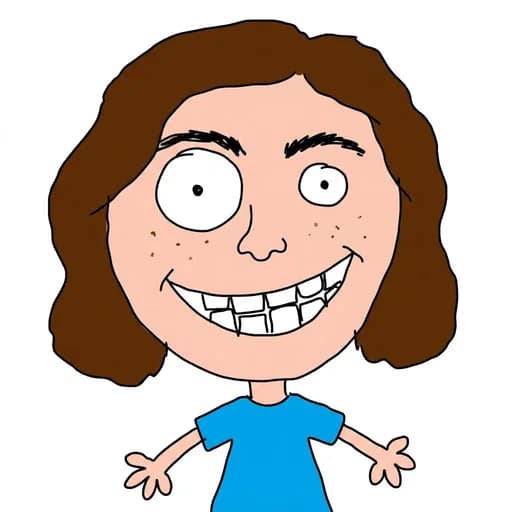
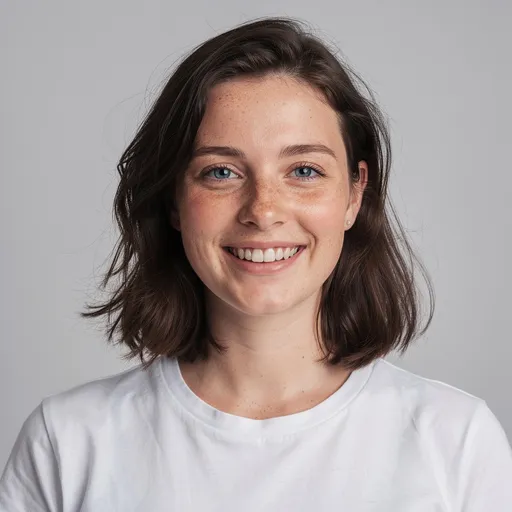
Before
After
Tap to compare
Ugly Drawing AI Filter FAQs
The ugly drawing filter transforms your photo into a hilariously bad hand-drawn sketch — think MS Paint mouse doodles, wobbly lines, wrong proportions, and childish scribbles. It's the viral "bad drawing" effect made easy.
Yes! The ugly drawing filter recreates the MS Paint style that went viral — a deliberately clumsy, low-quality drawing that looks like it was made with a mouse on a white background.
You can try PicTools.AI with a limited free allowance. Continue in the app to check the allowance available to your account. More edits require a credit pack or subscription.
Portraits and selfies with a clear face work best. The AI exaggerates your features in the most hilariously bad way possible — the more expressive the photo, the funnier the result.
Absolutely. You own the rights to the generated image. Share it on Instagram, TikTok, X (Twitter), or anywhere else — ugly drawings make great reaction images and meme material.